
Mindgard Recognized as UK's Most Innovative Cyber SME 2024 at Infosecurity Europe
Mindgard Recognized as UK's Most Innovative Cyber SME 2024 at Infosecurity Europe
Modern MLOps teams practice Continuous Integration and Continuous Delivery (CI/CD) not just for code, but also for model artifacts and model configurations. As those models evolve through prompt changes, parameter tweaks, or retraining, so does their attack surface. Mindgard’s continuous security testing framework helps teams detect when changes affect their risk posture. Integrating Mindgard into your automated pipelines ensures security doesn’t wait for the next manual review. Instead, automated AI red teaming can happen every time code or models change and every time there is an update to the attacks in the Mindgard solution.
In a CI/CD context, you want continuous feedback on how changes affect security risk. Traditional testing might catch unit failures or integration issues, but it won’t tell you if a tweak to your model prompt suddenly makes your service vulnerable to prompt injection, jailbreaks, or other adversarial techniques that AI red teaming is designed to uncover. Mindgard’s CLI-based security test suite can be invoked as part of your pipeline so that:
This approach gives you objective, automated visibility into your model’s adversarial risk posture as part of your standard build checks.
The Mindgard GitHub Action is designed to pull the latest version of the Mindgard CLI each time a workflow runs. This means the pipeline is not only testing your model or application changes, it is also automatically incorporating every new Mindgard capability, attack technique, and testing enhancement the moment we publish it. Any time Mindgard ships an update, your CI/CD workflow will run against the newest release without requiring configuration changes or action maintenance on your side. This ensures that AI security testing stays continuously up to date with evolving adversarial methods, without teams having to manually manage multiple AI red teaming tools, and that customers benefit from new detection logic and expanded coverage as soon as it becomes available.
Read more on GitHub.
GitHub Actions workflows are defined in YAML files under .github/workflows/ and consist of jobs, each with a series of steps. These workflows trigger based on events like push, pull request, or schedule.
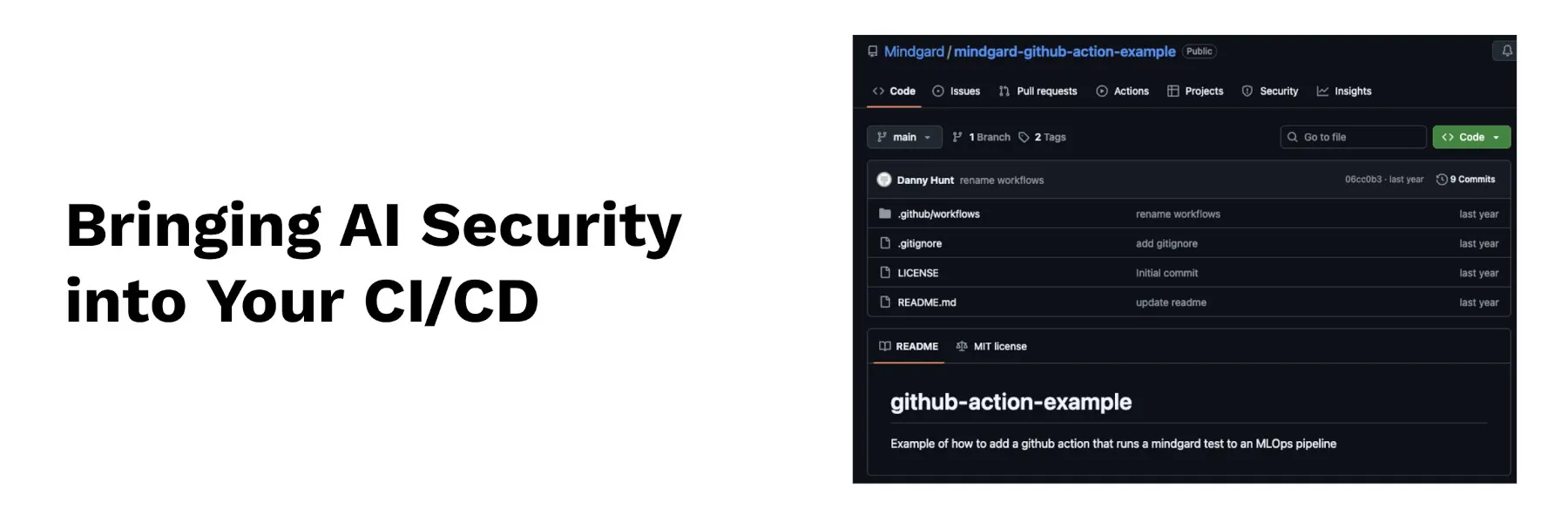
The example repo illustrates:
By placing these steps inside a workflow, you get automated risk analysis every time relevant changes touch your model stack.
Mindgard’s CLI supports exit codes that reflect the outcome of the test. By default, the CLI returns a zero exit code for success, but risk gating can be configured so that high-risk test results produce a non-zero exit code. That lets you fail the build automatically if a test crosses a given risk threshold.
For example, setting a --risk-threshold flag can instruct Mindgard to exit non-zero if any attack type exceeds your defined threshold of flagged events. This gives pipeline authors fine-grained control over when a test failure should stop deployment versus when it should just log a warning.
If you’re ready to incorporate Mindgard security testing into your GitHub-based CI/CD workflows, the mindgard-github-action-example repository provides a solid starting point.
Explore the repo and get started here:
https://github.com/Mindgard/mindgard-github-action-example
https://docs.mindgard.ai/user-guide/workflow-integrations

Mindgard helps organizations discover, assess and defend their AI systems. Spun out of more than a decade of AI security research at Lancaster University in the UK and headquartered in Boston and London, Mindgard operationalizes the expertise of AI researchers and offensive security practitioners through a Security Platform that performs Shadow AI discovery, AI red teaming, and run-time AI protection to assess and mitigate risk across models, agents, and applications.